Donate to Spread the Word

Step 1 – Donate Securely Online
Step 2 – Create Your Free Giving Account
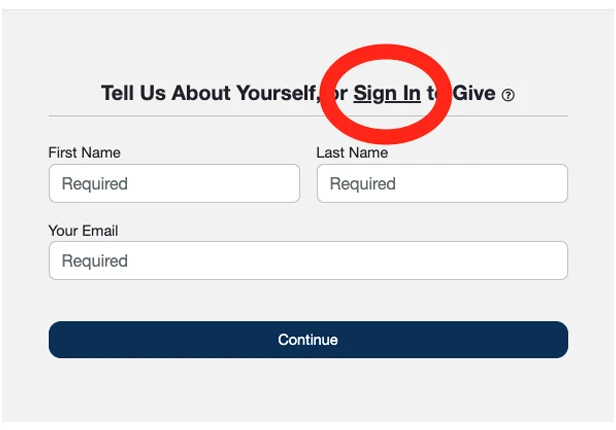
The giving page offers a quick guest checkout, but we recommend creating a free account instead; it only takes a minute, and it’s what unlocks recurring gifts and ACH (bank transfer) giving. On the “Tell Us About Yourself, or Sign In to Give” screen, click Sign In in the top right instead of filling out the guest form.
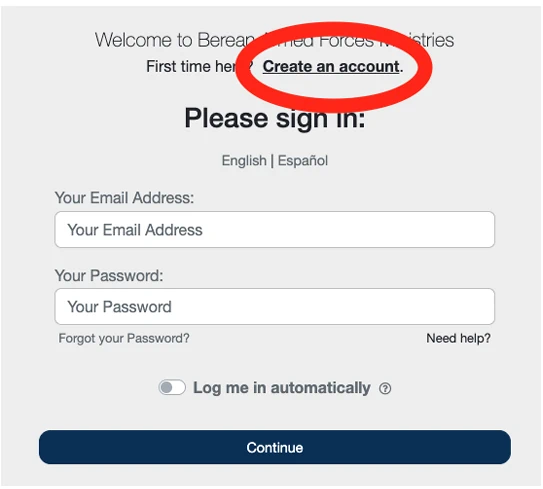
On the sign-in screen, click Create an account, since this is your first time giving online.
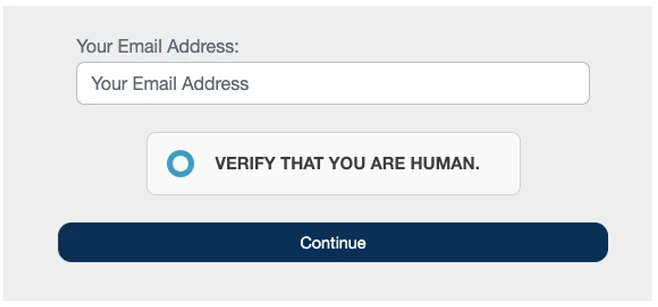
Enter your email address, check the box to verify you’re human, and click Continue.
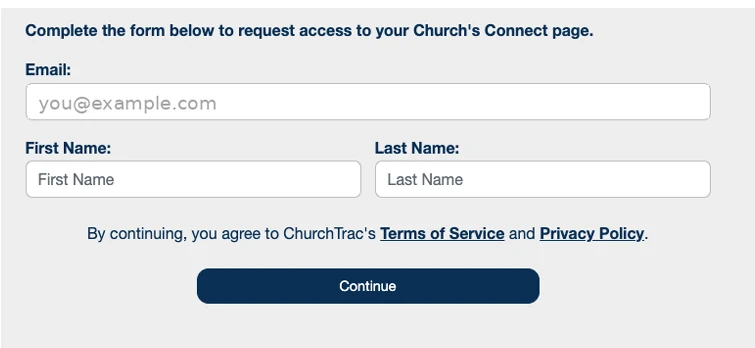
Confirm your email, enter your first and last name, agree to ChurchTrac’s Terms of Service and Privacy Policy, and click Continue.
You’ll see a message that a temporary password was emailed to you — go check your inbox.

Open that email and copy the validation code it gives you — this is your temporary password.
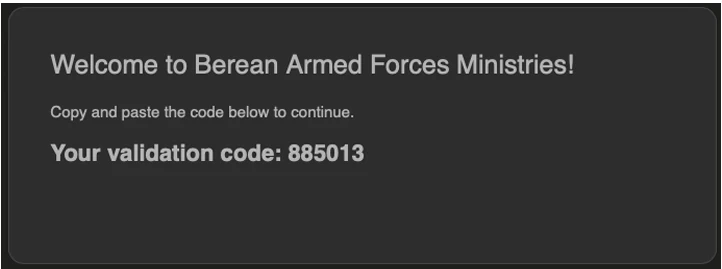
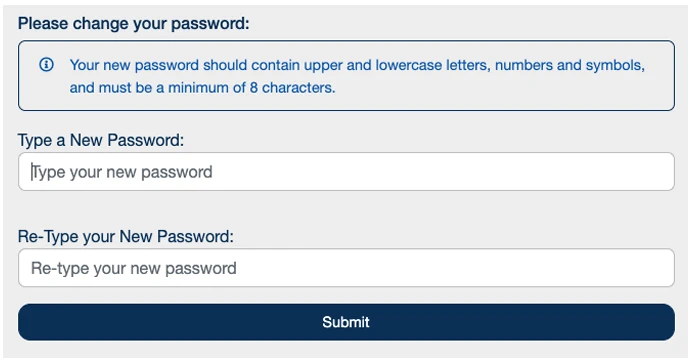
Enter that code as your temporary password; and you’ll be prompted to set a permanent one. Choose a new password (at least 8 characters, with upper and lowercase letters, numbers, and symbols) and click Submit.
You’re now signed in and ready to give.
Step 3 – Choose Your Gift Amount and Fund
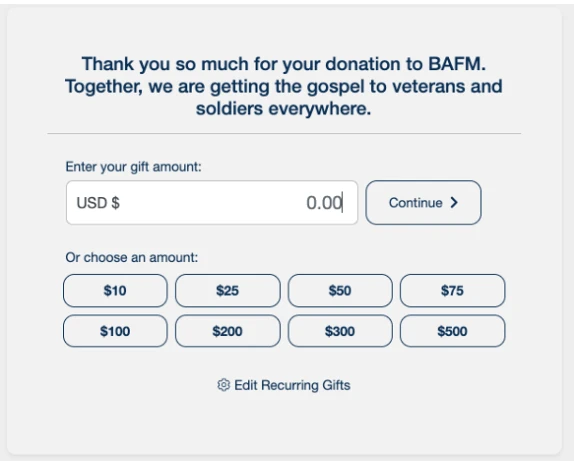
Enter a custom amount or tap one of the preset amounts, then click Continue.
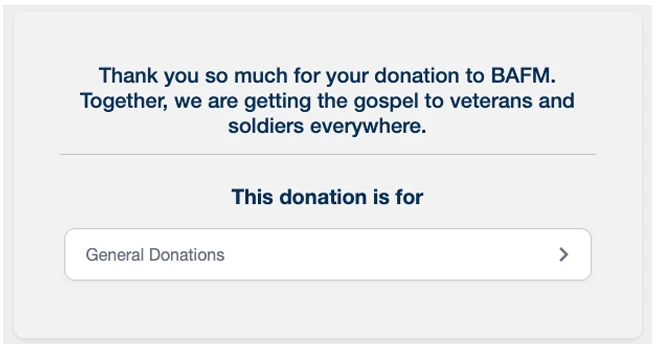
Confirm or change what your gift is designated for — General Donations is the default.
Step 4 – Turn on Recurring Giving
This is optional, but it’s a big help to our ministry — consistent monthly support makes it much easier for us to plan ahead for Gospel packets, mailings, and outreach. On the summary screen, tap Make Recurring.
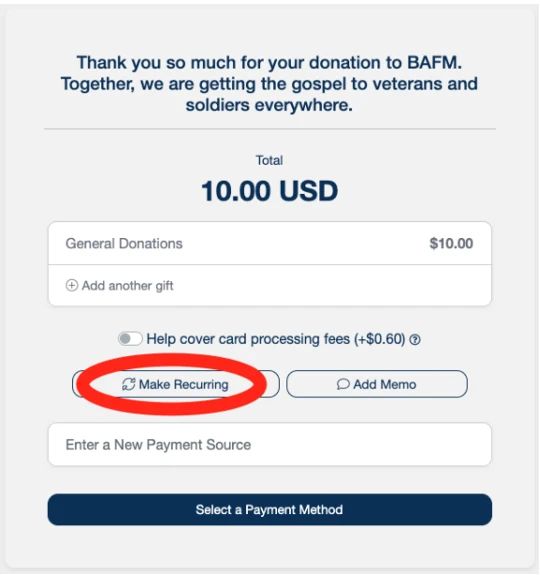
Note: The “Help cover card processing fees” toggle on the above screen only applies to card payments. Leave it off if you’re paying by ACH in Step 5 — turning it on would add a card fee to a bank transfer that doesn’t need it.
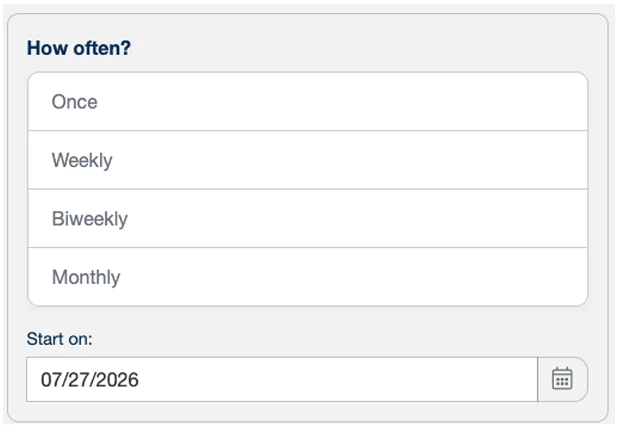
Choose how often you’d like to give — Weekly, Biweekly, or Monthly — and confirm the start date. Once this is set, your gift will process automatically on that schedule.
Step 5 – Choose ACH (Bank Transfer) Instead of a Card
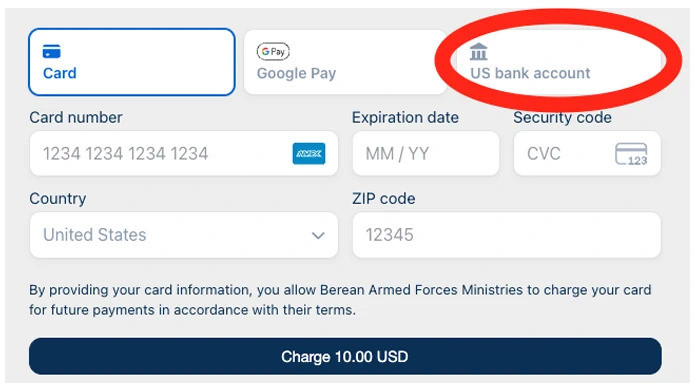
When you reach the payment method screen, click US bank account instead of Card.
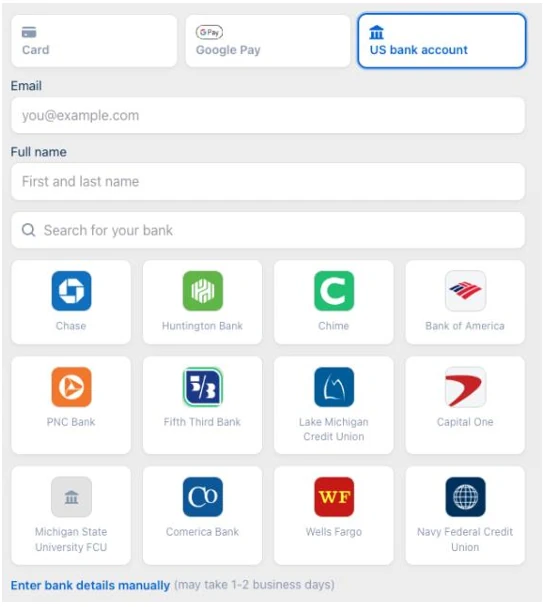
Enter your email and name, then search for your bank to connect it securely — or click Enter bank details manually to use your routing and account number instead. Manual entry takes 1–2 business days to verify with a small test deposit; searching for your bank verifies instantly.
Once your bank account is verified, finish submitting your gift the same way you would with a card.
Why Choose ACH Instead of a Card?
Every online gift carries a small processing fee, but the fee is much lower for a bank transfer (ACH) than for a credit or debit card. Choosing ACH means less of your gift is lost to fees and more of it goes directly toward the ministry.

Note: Rates are set by our payment processor (Stripe) and can change slightly over time, but ACH is consistently the lower fee option — especially for recurring monthly gifts.
Viewing, Changing, or Canceling a Recurring Gift
You’re always in control of your recurring gift. To manage it:
- Go back to bafm.churchtrac.com/give and sign in.
- On the gift amount screen, look for the Edit Recurring Gifts link (gear icon) near the bottom.
- From there you can view, change, or cancel your recurring gift at any time.
Questions?
If you run into any trouble giving online, or you’d rather give by mail, reach out to us through the Contact Us page and we’ll be glad to help. Thank you for standing with us as we put the Word of God into the hands of our service members.